Why WordPress maintenance isn't a luxury but a necessity
WordPress now powers over 43% of websites worldwide, including the majority of SME sites in Europe and North America. This popularity hides a reality many business owners ignore until the day a problem strikes: an unmaintained WordPress site is a ticking time bomb. Security flaws, gradual slowdowns, random crashes, data loss, SEO blockages. It all eventually happens, usually at the worst moment.
WordPress maintenance isn't an optional expense reserved for large companies. It's a basic investment in protecting your digital asset, just like maintaining a company vehicle or backing up your accounting. Yet a recent market study shows that nearly 60% of SMEs have no maintenance contract for their website, and among those that do, many don't even know precisely what it covers.
This complete guide aims to give you a clear and pragmatic vision of what WordPress maintenance really is in 2026: what it covers, what it costs, how to choose a provider, what pitfalls to avoid, and why the subscription model is transforming this market in depth.
The 7 concrete risks of an unmaintained WordPress
A WordPress site without maintenance exposes itself to seven concrete and measurable risks. Here they are, ordered by probability and severity.
Risk 1: security flaw and hacking
WordPress is the most hacked CMS in the world, simply because it's the most used. Every month, dozens of flaws are discovered in core, themes, or plugins. Without regular updates, your site becomes an easy entry point for automated attacks. Consequences range from spam injection in your pages to complete site takeover, including customer data theft (GDPR-wise, that's a potential fine).
Risk 2: progressive performance degradation
A WordPress site that isn't optimized regularly sees its performance degrade week after week. Bloated database, poorly managed cache, uncompressed images, obsolete plugins consuming resources: all this eventually creates a slow site that drives visitors away and that Google penalizes in SEO.
Risk 3: incompatibilities after automatic updates
WordPress, themes, and plugins update regularly. Without human supervision, these updates can cause conflicts that break your site without you realizing it. A visitor arrives, sees an error, leaves. You may never know.
Risk 4: data loss without backup
Without an automatic and regularly tested backup system, any incident (server crash, manipulation error, attack) can cause permanent loss of several months of content. Hosting backups aren't enough: they're often partial, sometimes corrupted, and always difficult to restore quickly.
Risk 5: progressive SEO penalty
Google detects slow sites, sites that crash, sites with technical errors. Over weeks, a poorly maintained site loses positions on its keywords, loses organic traffic, loses leads. Worst part: this degradation is gradual and silent. You only realize months later when your commercial results decline.
Risk 6: obsolete or abandoned plugins
Many WordPress plugins are no longer maintained by their developers after a few years. Without monitoring, you can find yourself with a critical plugin that hasn't been updated in 18 months, has known flaws, and slows down your site. Professional maintenance includes proactive replacement of these plugins with updated alternatives.
Risk 7: no support in case of emergency
The day your site crashes on a Friday evening before an important commercial weekend, you have no one to call. The absence of a maintenance provider means you'll have to find someone in emergency, pay a premium rate, lose 24-48 hours, and probably lose revenue.
What WordPress maintenance really covers (the exact scope)
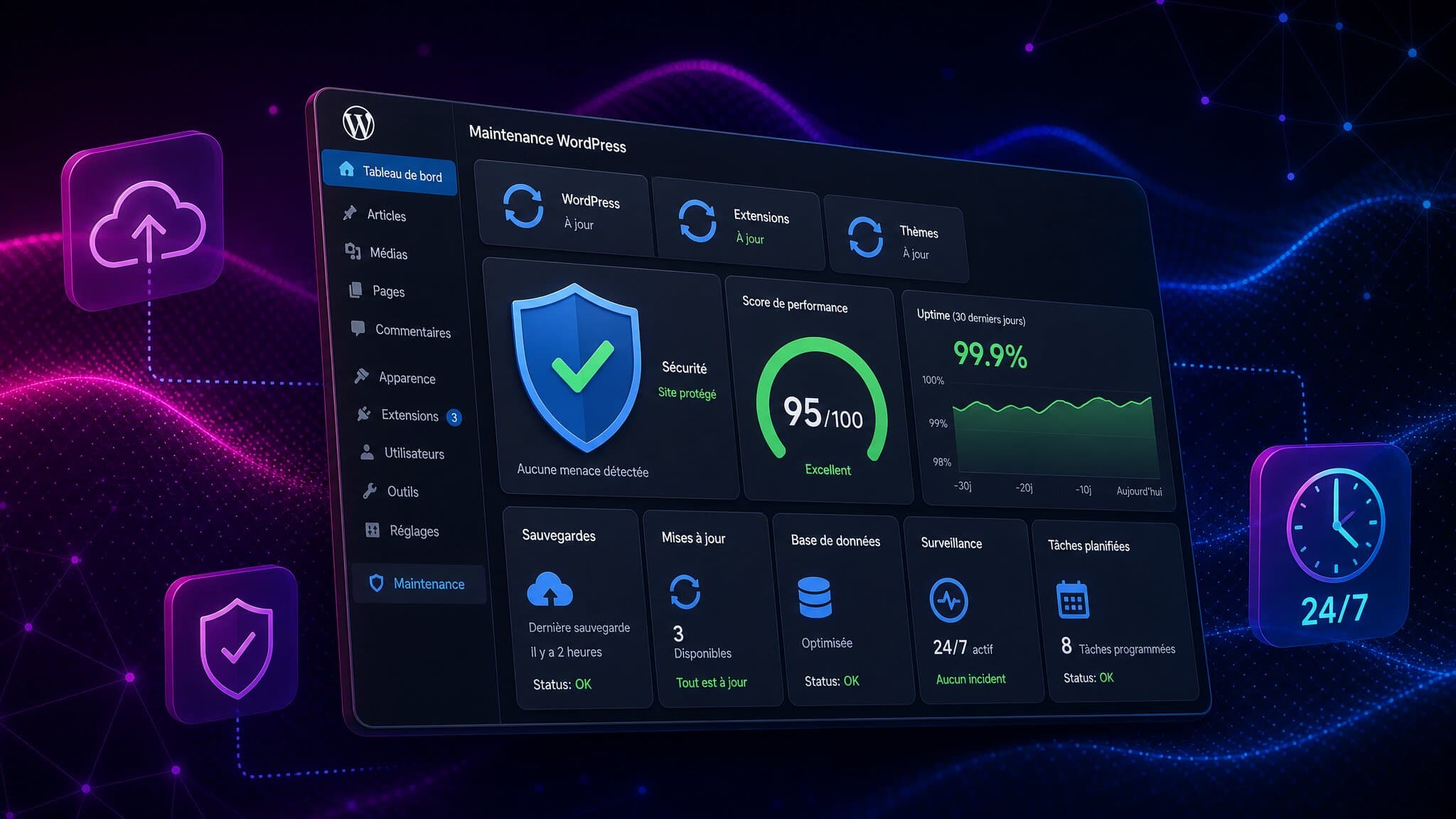
WordPress maintenance isn't a single service but a set of regular technical interventions. Here are the five major action families that a good contract must cover.
Family 1: technical updates
Updates to WordPress core (major and minor versions), themes, and all installed plugins. These updates must be done after testing on a staging environment to avoid regressions on the live site.
Family 2: proactive security
Installation and configuration of an application firewall (such as Wordfence, Sucuri, or iThemes Security), monitoring of intrusion attempts, regular malware scans, implementation of best practices (login attempt limits, strong authentication, masking of default admin URL).
Family 3: automatic backups
Daily complete backup (files + database), storage on a secure remote server (not at the same host), 30-day minimum retention, and monthly restoration testing. This last point is crucial: an untested backup is a backup that doesn't exist.
Family 4: performance optimization
Database cleanup and optimization, cache configuration (page, database, objects), image compression, loading speed monitoring, Core Web Vitals optimization (the performance indicators Google uses for SEO).
Family 5: monitoring and reporting
24/7 uptime monitoring, problem alerts, PHP and JavaScript error monitoring, modification logs, monthly client report with actions performed, site health status, and recommendations.
The 3 WordPress maintenance models
The WordPress maintenance market offers three distinct economic models. Understanding their differences is essential to making the right choice for your context.
Model 1: hourly billing
The provider bills each intervention by time spent, generally between 80 and 150 dollars per hour. This model has the advantage of being transparent on time actually billed, but it poses two major problems. First, the provider has no interest in optimizing their time. Second, you never know how much next month will cost, making budgeting impossible. This model is suitable only for very occasional interventions.
Model 2: hour pack flat fee
The provider sells hour packs (10h, 20h, 50h) that you consume gradually. It's more predictable than hourly billing, but creates other problems: you hesitate to engage the provider for small tasks for fear of burning your hours, and at the end of the pack you find yourself with the same financial dilemma. This model suits companies with stable and predictable intervention volume.
Model 3: unlimited monthly subscription
The provider bills a fixed monthly fee covering all maintenance interventions within the defined scope, with no time limit. This model has three major advantages: total financial visibility, the provider is incentivized to optimize their time (since it's in their interest), and you can engage the agency without hesitation for the slightest problem. It's the model most modern SMEs adopt in 2026.
At Synerium, our Infinity offer includes complete WordPress maintenance in all its tiers, with no additional billing. For an SME that already has a WordPress site and wants to maintain it without risk, it's the most serene option.
How much WordPress maintenance really costs in 2026
WordPress maintenance prices vary enormously based on the chosen model, covered scope, and site complexity. Here are realistic ranges for the European and North American markets in 2026.
Basic maintenance (updates + backups)
Includes only monthly updates to core, themes, and plugins, plus a weekly backup. No proactive monitoring, no performance optimization, no support in case of problem.
● Market price: $40 to $100 per month
● Suitable for: very small showcase sites with low business stake
● Limit: covers only 30% of real risks
Intermediate maintenance (with security and performance)
Includes the entire basic scope, plus firewall configuration, malware scans, basic performance optimization, and monthly reporting.
● Market price: $100 to $250 per month
● Suitable for: SME showcase sites, professional blogs
● Covers about 70% of real risks
Complete maintenance (with reactive support)
Includes the intermediate scope, plus 24h technical support for common problems, staging environment for testing updates, and incident restoration.
● Market price: $250 to $600 per month
● Suitable for: e-commerce sites, high-traffic sites, sites strategic to the business
● Covers about 90% of real risks
Premium maintenance (with included evolutions)
Includes the entire complete scope, plus a volume of monthly technical evolutions (design modifications, feature additions, SEO optimizations).
● Market price: $600 to $2,500 per month
● Suitable for: high-stakes e-commerce sites, sites needing continuous evolution
● Covers 95% of needs (close to a full subscription agency)
Beyond $2,500 per month, you enter the territory of full subscription digital agencies, which cover maintenance + evolution + design + marketing in a single package.
In-house or outsourced WordPress maintenance: how to decide
The question of in-house vs outsourced WordPress maintenance often arises in SMEs that have an internal developer or a versatile tech person. Here's how to decide rationally.
When in-house makes sense
In-house is relevant only if three conditions are met simultaneously. First, you have at least one person whose WordPress maintenance is part of their official job description (not someone doing it on top of their real job). Second, this person has at least 2-3 years of practical experience in WordPress, web security, and performance optimization. Third, the work volume justifies a part-time position of at least 20% (i.e., 8 hours per week).
When outsourcing is more profitable
In most cases for an SME, outsourcing is more profitable. Reasons: you access multidisciplinary expertise (a single internal cannot master everything), you have no risk in case of absence or departure, you pay only for real interventions, and you benefit from tool pooling (firewalls, monitoring, professional backups).
Simple calculation rule: compare annual outsourcing cost (about $3,000 to $7,500 per year for an SME) with the loaded cost of an internal developer dedicated 20% (about $15,000 to $25,000 per year for the same work volume). Outsourcing is almost always 3 to 5 times cheaper.
The 6 criteria for choosing a WordPress maintenance provider
Not all agencies or freelancers doing WordPress maintenance are equal. Here are the six essential criteria for deciding between several proposals.
Criterion 1: scope transparency
The contract must precisely list what's included and what's not. Update method, backup frequency, available support type, response times, optimization scope. If the contract remains vague, you'll have conflicts with every unplanned request.
Criterion 2: backup quality
Explicitly ask: where are backups stored (ideally at a different host), what's their frequency (daily minimum), what's their retention (30 days minimum), and how often they're tested (monthly minimum). If the provider can't answer these questions precisely, run.
Criterion 3: emergency response times
When your site crashes, how long for a response? How long to fix the problem? A good provider offers a clear SLA (Service Level Agreement): response in less than 4 hours during business hours, intervention in less than 24 hours for critical bugs.
Criterion 4: monthly reporting
You must receive a written report each month detailing actions performed, incidents handled, site health status, and upcoming recommendations. If the provider doesn't provide structured reporting, you'll have no visibility on the work actually done.
Criterion 5: ownership of access and data
Verify that you remain owner of all access (WordPress admin, hosting, domain name, backups). Some providers install their own proprietary tools that make you dependent and complicate exit. Demand that all tools used be transferable.
Criterion 6: references and experience
Ask for references from SME clients you can contact. Verify the provider's seniority in WordPress maintenance (not WordPress development in general, maintenance specifically). Ideally, the provider should manage more than 30 WordPress sites in parallel: this guarantees they've seen all possible types of problems.
Classic pitfalls to avoid in a maintenance contract
Three pitfalls are particularly frequent in WordPress maintenance contracts. Knowing them allows you to avoid them.
First pitfall: the locked-in contract. Methods to avoid: 12-month commitment renewable tacitly with 90-day notice, complicated exit conditions, termination penalties. Good maintenance is justified over time, but it shouldn't be a contractual prison.
Second pitfall: fictitious included hours. Some contracts announce 5 or 10 included hours per month, but in reality basic maintenance already consumes all these hours. Result: with every real request, you have an additional quote. Ask to see hour consumption statistics on similar clients before signing.
Third pitfall: artificially created technical dependence. Some providers install their own proprietary plugins or themes that make exit complicated. If you change provider, you're forced to redo everything. Demand that all tools be standard and transferable.
The 4 possible intervention frequencies (and which to choose)
Intervention frequency on your WordPress should be adapted to your context. Here are the four possible cadences and their use cases.
Frequency 1: quarterly
A complete intervention every 3 months for updates and global verification. Suitable only for very small low-stakes showcase sites. High risk of incidents between two interventions.
Frequency 2: monthly
One intervention per month for updates and preventive maintenance. This is the acceptable minimum for the majority of WordPress SME sites.
Frequency 3: bi-monthly
Two interventions per month for strategic sites. Significantly reduces the delay between a discovered flaw and its applied fix.
Frequency 4: continuous (subscription model)
Permanent monitoring with on-demand interventions, without fixed schedule. This is the optimal model in 2026 for high-stakes sites, because maintenance follows the real rhythm of problems rather than an arbitrary calendar.
Avada, Divi, Elementor maintenance: specifics by builder
The majority of modern WordPress sites are built with a visual builder: Avada, Divi, or Elementor. Each builder has its maintenance specifics that need to be known.
For Avada site maintenance, particular attention is on frequent conflicts with cache plugins and the native heaviness of the theme requiring continuous optimization.
For Divi site maintenance, complexity comes from the database that quickly bloats with page revisions, and major updates that can break the design.
For Elementor site maintenance, the main stakes are performance (Elementor generates a lot of CSS and JavaScript code), and conflicts with certain themes that aren't optimized for the builder.
Why the subscription model is revolutionizing WordPress maintenance
The WordPress maintenance market has been transforming for several years. The traditional model (hourly or flat-fee billing) is gradually giving way to the subscription model, for the same reasons SaaS replaced software licenses in the 2010s.
Subscription aligns the interests of agency and client. The agency earns more by keeping the client satisfied long-term, so it has interest in optimizing its own productivity and delivering quality service. The client pays a predictable fixed amount, simplifying their budgeting and allowing them to request interventions without hesitation.
At Synerium, we apply this subscription model to WordPress maintenance in our Infinity packages. Complete maintenance (updates, security, backups, performance, support) is included in all our packages, with no additional billing. If you want to understand how this model compares to classic models, read our complete guide to the unlimited web agency.
For businesses wanting a new WordPress site continuously maintained without heavy initial investment, our Studio offer provides a custom site financed via lease-to-own over 36 months, with complete maintenance included for the entire duration.
Frequently asked questions about WordPress maintenance
How long does it take to set up WordPress maintenance on an existing site?
The initial audit phase generally takes 1 to 2 weeks: complete site audit, identification of existing problems, monitoring tools setup, backup configuration, first cleanup if necessary. After this phase, maintenance enters cruise mode with regular interventions according to the chosen frequency.
What happens if an update breaks my site?
This is exactly why a good maintenance provider performs all updates on a staging environment (a copy of the site invisible to the public) before applying them to production. If an update causes a problem, it's detected and corrected before impacting the visible site. This is a critical point: if your provider does updates directly in production, change provider.
Do I need a maintenance contract for a small VSE showcase site?
Yes, even a small showcase site deserves basic maintenance. Vital minimum: monthly updates, weekly backups, and a basic firewall. For $40 to $70 per month, you protect yourself from major risks. Having no maintenance at all is playing Russian roulette with your site.
My host already offers backups, do I need more?
Hosting backups are never enough. They're often incomplete (just files, not database), sometimes corrupted, and always stored in the same place as your site (so useless in case of serious server incident). A good maintenance provider configures external, complete, regularly tested backups.
How many plugins can I have installed on my site?
There's no strict rule, but the more plugins you have, the more risks you have. The golden rule is to install only really necessary plugins, and prioritize currently maintained plugins (check the date of last update). A healthy WordPress site generally has between 10 and 25 plugins. Beyond 40 plugins, it's time for serious cleanup.
Does WordPress maintenance also cover content?
No, technical maintenance doesn't cover content creation or modification. This is an important distinction. Maintenance manages the technical part (updates, security, performance), but adding articles, modifying pages, editorial SEO are distinct services. Some agencies offer combined packages (maintenance + content marketing) that may be interesting for SMEs.
What if my maintenance provider disappears overnight?
This is a real risk, especially with freelancers. To protect yourself, systematically demand: complete site technical documentation, administrator access to all tools, external backups you control, and a contractual clause for clean handover of access at end of contract. With these guarantees, changing provider becomes manageable in 1-2 weeks.
Can WordPress maintenance and site evolution be combined?
Yes, it's even the strong market trend. Rather than having one provider for maintenance and another for evolutions (redesign, feature additions, SEO optimizations), more and more businesses opt for a single subscription provider covering everything. This is what the unlimited web agency model offers, including maintenance and evolutions in the same monthly package.
Conclusion: WordPress maintenance, a defensive and offensive investment
WordPress maintenance is often perceived as a defensive expense: it's done to avoid problems. True, but reductive. Good maintenance is also an offensive investment: it guarantees your site stays fast, secure, and up-to-date, which directly translates to better SEO, better user experience, more leads.
In 2026, not having professional maintenance for an SME WordPress site is a penny-wise pound-foolish economy that always ends up costing much more in incidents and lost commercial opportunities.
To evaluate what complete WordPress maintenance could bring to your business, discover Synerium Infinity packages which include complete maintenance in all subscription levels.


